Sydney-based · shipped Australia-wide and overseas

Audi Wireless CarPlay & Android Auto Retrofit Kit

An aftermarket interface that adds wireless CarPlay and Android Auto to your factory Audi screen. The screen stays non-touch; you use the Audi dial and buttons, or Siri. We check your exact MMI system before dispatch. If we can't supply a compatible kit, you get a full refund.

A$499 Kit price · Supplied & installed in Sydney from A$750 · A$250 booking deposit
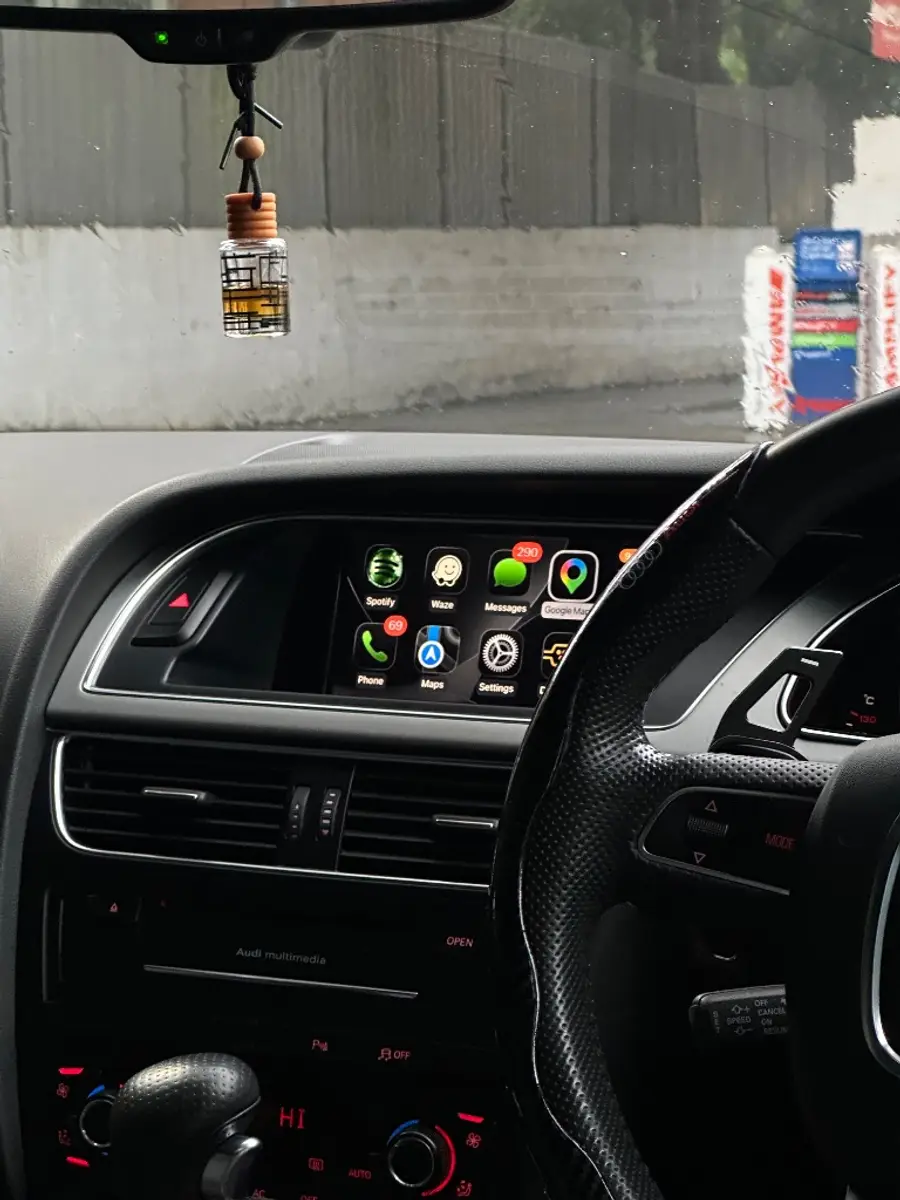
Wireless CarPlay home screen on the factory display of an Audi A5 we installed
Our install: Audi A5, factory screen retained.

Order your Audi upgrade

Three quick choices. We confirm fitment with you before dispatch.

Photos show CarPlay on the original screen.

  1. 1. Car, current step
  2. 2. Upgrade, upcoming
  3. 3. Order, upcoming

Your car

Delivery

Estimates are from dispatch, which follows the fitment check. Remote and international deliveries can take longer. Shipping details

Fitment check first

We confirm your exact MMI system before the kit is sent. We may ask for a dashboard or menu photo.

Free standard shipping

Tracked. Estimated 7–10 business days after dispatch. Tracking is emailed when your order ships.

Dispatch on hold until confirmed

We contact you promptly if more details are needed or a suitable kit cannot be supplied, and arrange an appropriate resolution.

Warranty peace of mind

Simple warranty terms

Your order is checked before dispatch and backed by practical support if you need help after delivery.

1-year warranty included

Every kit includes a 1-year warranty from the date of purchase.

Covers product faults

Warranty support applies to eligible hardware faults under normal use.

Support after purchase

We help with setup, compatibility questions and installation guidance.

Why choose us

Built for Audi owners who want it done properly.

Australian support

Real help before and after your install.

Compatibility checked

Every vehicle is reviewed before dispatch.

OEM-style integration

Factory screen, controls and MMI remain in place.

Secure checkout

Stripe payments with Afterpay and Klarna available.

Tracked shipping

Free tracked delivery in Australia. Delivery estimates are on our shipping page.

Installation support

Guide, video and support included.

Reviews

Real Audi owners. Real installs.

View all reviews

★★★★★

“George was fantastic to work with! His communication was excellent and he was able to answer all my questions quickly and it was a no brainer to go with him to install CarPlay to my car! Would 100% recommended George to anyone keen to get CarPlay installed!”

Lashan A

Audi S6 - 2013 · Customer review
★★★★★

“Very easy Work great”

Todd brooks

Audi A4 - 2014 · Customer review

★★★★★

“I was able to do the install by myself. I never thought I would be able to but it is not difficult and I had great support from the AudiCarPlay team. They have been great in responding quickly and helping with any questions I have. It is working great and looks amazing on screen. I couldn’t be happier and highly recommend this as an option for earlier model Audi’s with no CarPlay option.”

Peter B

Audi A5 - 2012 · Customer review

Installation

Plug-and-play, with guidance when you need it.

The kit connects behind your factory MMI screen and keeps the original Audi interface intact.

View installation guide

Difficulty

Moderate DIY - no coding or cutting.

Estimated time

60–120 minutes for most installs.

Tools required

Radio keys included; basic trim tools recommended.

Support

Video, written instructions and install help included.

Compare Your Options

Which Audi CarPlay Upgrade Is Right for You?

Keeping your original screen or getting a larger touchscreen, wired or wireless CarPlay, and fitting it yourself or having us install it.

Original screen or touchscreen?

Quick comparison

Do I touch the screen?
Original screen: No, it stays non-touchTouchscreen: Yes, you tap it
How do I control CarPlay?
Original screen: Audi dial and buttons, or SiriTouchscreen: Tap the screen, or Siri
Is CarPlay wireless?
Original screen: YesTouchscreen: Yes
Android Auto?
Original screen: Yes, wirelessTouchscreen: Yes, wireless
What you see on the dash
Original screen: Your original Audi screenTouchscreen: A new, larger screen
How do I control CarPlay?
  • Your original Audi screen stays non-touch, so you don’t tap it.
  • Turn the Audi dial to move through CarPlay, and press it to select.
  • Use the Audi back button to go back a step.
  • Ask Siri to make calls, read and send messages, play music or get directions.
  • On an Android phone, Android Auto works the same way, with Google Assistant.

Whether your steering-wheel buttons and Audi dial still work with the new screen depends on your car. We confirm that before we order.

Wired vs wireless CarPlay
FeatureWired CarPlayWireless CarPlay (this kit)
Phone connectionUSB cable every tripBluetooth + Wi-Fi, automatic
Cable requiredYesNo
Charges phoneYes (via cable)Separate charger if needed
Connection timePlug in each driveAuto-connects on start
Supply-only vs supplied-and-installed
FeatureSupply-only (DIY)Sydney mobile installation
Kit includedYesYes
Installation labourYou installWe install at your location
Typical time60–90 min DIY45–90 min, we come to you
Service areaAustralia-wide shippingSydney metropolitan area
Price (AUD)A$499Supplied & installed from A$750

FAQ

Audi CarPlay - Straight Answers

Also Available

New

Audi CarPlay & Android Auto Touchscreen

Audi CarPlay and Android Auto touchscreen upgrade

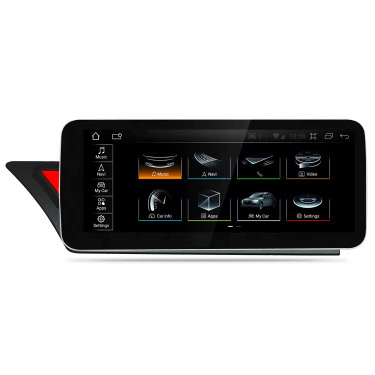
A larger touchscreen you tap, like your phone, with wireless Apple CarPlay, wireless Android Auto and Android 14.

  • Wireless Apple CarPlay and wireless Android Auto
  • Android 14 functionality
  • 8.8″, 10.25″ or 12.3″ screen options
  • Sydney installation available

From A$749

Supplied & installed from A$849

View Larger Screens

Cookies

Essential storage runs checkout and security. Optional analytics and advertising (Google, Meta) stay off until you choose. Change it anytime in the footer. Cookie policy