Audi MMI CarPlay Adapter - Plug and Play, No Coding Required
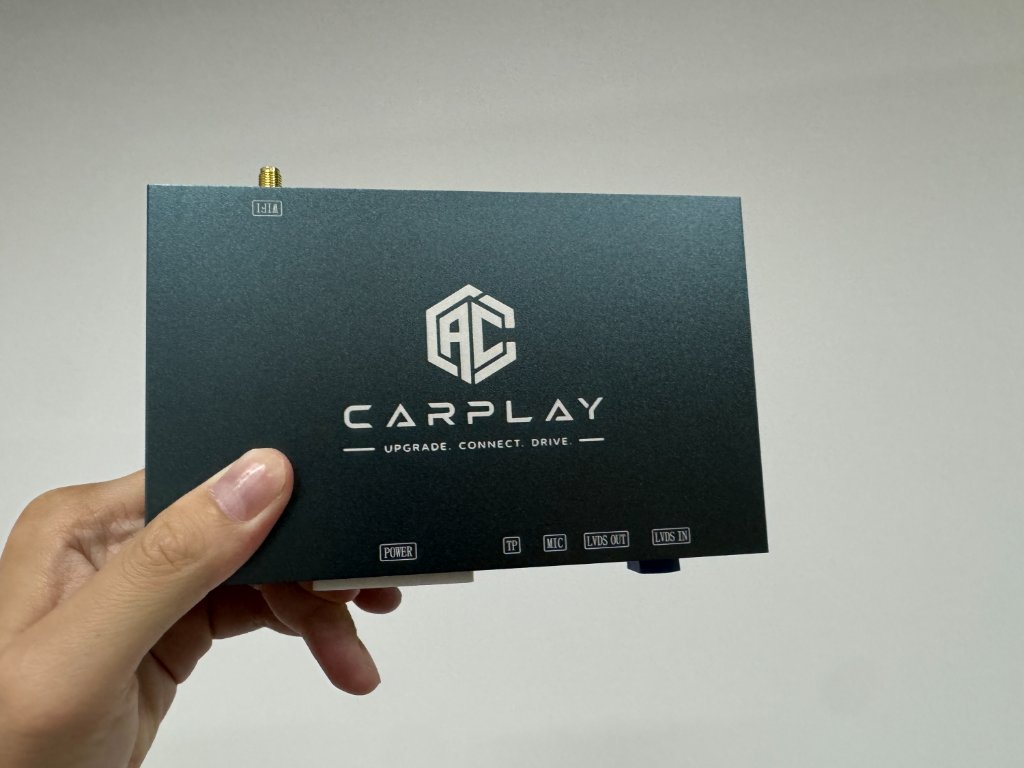
The Audi MMI CarPlay adapter is a purpose-built module that connects to your factory MMI system using OEM-style harness connectors, adding wireless Apple CarPlay and Android Auto without modifying a single wire. This guide explains exactly why no coding, cutting, or dealer visit is required.
What is the Audi MMI CarPlay adapter?
The Audi MMI CarPlay adapter is a small electronic module - roughly the size of a smartphone - that slots into the existing wiring of your Audi's MMI system. It communicates with the MMI control unit via the factory data bus, integrating natively rather than patching over it.
The result: wireless Apple CarPlay (and Android Auto) appears on your factory MMI screen as a selectable input source. No extra screens, no tablet mounts, no visible modifications.
Which MMI systems is the adapter compatible with?
- MMI 2G: Early A4, A6, A8, Q7. Requires kit with screen module - still fully plug and play, no cutting.
- MMI 3G: A4 (B8), A5, Q5, A6 (C7 early), Q7 facelift. Single harness connector, clean install.
- MMI 3G+: B8.5 A4/A5/Q5 facelifts, early C7 A6. Same adapter and harness as MMI 3G.
- MIB: Some MIB systems can also be upgraded - contact us to confirm.
What does "plug and play" actually mean?
- No wire cutting. You unplug existing connectors and plug them into the harness - nothing is cut.
- No splicing. No wires are joined or modified in any way.
- No coding. No VCDS, OBD11, or any software required. The adapter self-configures on power.
- No dealer visit. Done at home with a screwdriver.
- Fully reversible. Remove the adapter and the car returns to factory spec.
How does the plug and play installation work?
- Remove the glove box (4–5 screws, 10 minutes)
- Locate the MMI control unit - clearly visible once the glove box is out
- Disconnect the factory harness connectors from the MMI box
- Connect those connectors into the plug-and-play harness
- Plug the harness into the MMI box
- Mount the CarPlay adapter module behind the dash
- Power the car on and test - CarPlay should appear in the MEDIA menu
- Replace the glove box
Total time: 60–90 minutes for most owners.
What the CarPlay experience is like after installation
Start the car and CarPlay connects wirelessly within 3–5 seconds. Last navigation session and music resume automatically. The Audi MMI CarPlay adapter uses 5GHz Wi-Fi for data and Bluetooth for the initial handshake - fully automatic every time after pairing.
- Factory Audi navigation - press NAV to access it
- Steering wheel controls work with CarPlay
- Reverse camera switches on automatically in reverse
- All MMI menus, settings, and vehicle functions unchanged
Order the Audi MMI CarPlay adapter
Our plug and play Audi MMI CarPlay adapter is $649 AUD, is compatibility checked before dispatch, and includes a 1-year warranty. We verify your MMI system before dispatch. Confirmed compatibility issues are assessed under our policy and Australian Consumer Law. Afterpay and Klarna available.
Select your model and year on our order page →
Ready to add CarPlay to your Audi?
We confirm your exact car before dispatch. If it isn’t compatible, you get a full refund.
See the Audi CarPlay kitRelated articles
Guide
Plug and Play CarPlay for Audi - No Coding, No Dealer, No Wires Cut
Model Guide
Audi Q5 CarPlay Upgrade - Plug and Play Guide for 2008–2017
Technical
How to Identify Your Audi MMI Version (2G, 3G, 3G+, RMC & MIB)
Technical
Audi Concert, Symphony and MMI: What Is the Difference?
Technical
Audi MMI System Types Explained: 2G, 3G, 3G+, MIB
Technical
Does Adding CarPlay Affect Your Audi MMI or Warranty?