How long does installation take?
Most installations take 60–90 minutes. MIB systems are typically faster at 45–60 minutes. Older MMI 2G systems can take up to 90 minutes due to tighter access behind the dash.
Not compatible? Full refund — our fitment guarantee.
DIY Installation
A complete step-by-step guide to installing your Audi CarPlay retrofit kit. Follow these ten steps in order. The kit is plug-and-play — no wire cutting, no coding, fully reversible.
Your kit is verified against your Audi model, year and MMI system before dispatch, so you should have the correct harness and module. Allow 60–90 minutes without rushing. Park in a well-lit area. Have your phone paired and ready for the post-installation test. Take photos before disconnecting anything so you can reference the original layout if needed.
Park in a well-lit area and turn off the ignition. Lay a soft cloth or mat over the centre console and surrounding trim to protect the surfaces. Remove any personal items from the dashboard area and glovebox. Ensure you have all supplied components laid out and within reach.
The kit includes radio removal keys designed for your Audi's factory MMI unit. Insert the keys into the slots on either side of the MMI unit until you feel them click into place. The keys release the locking tabs that hold the unit in the dash.
Grip the removal keys and carefully pull the MMI unit straight forward out of the dashboard. Do not force it — if it resists, check that both keys are fully engaged. Once the unit is partially out, you can grip the sides and slide it forward to access the rear connectors.
Locate the factory display connection (LVDS cable) on the rear of the MMI unit. Carefully disconnect it. Connect the supplied display/LVDS connection inline — one end to the factory cable, the other to the MMI unit. This routes the CarPlay video signal to the factory screen.
Locate the factory Quadlock connector (the main wiring harness plug) on the rear of the MMI unit. Remove the factory Quadlock. Connect the original Quadlock to the supplied T-harness. Connect the supplied harness back into the factory multimedia unit. Then connect the CarPlay interface harness to the T-harness. This is the main power and data connection for the CarPlay module.
Open the glovebox and locate the relevant fasteners. In most Audi models, the glovebox can be lowered by removing two Torx screws at the top inside edge. Lower the glovebox to access the area behind where the CarPlay module will be mounted. The exact fastener type and location varies by model — refer to the photos provided with your kit.
Where applicable to your documented configuration, connect the supplied CANBUS harness. The CANBUS connection allows the CarPlay module to interface with the vehicle's steering wheel controls and MMI controller. The connection point varies by MMI system — connect only where your kit documentation specifies.
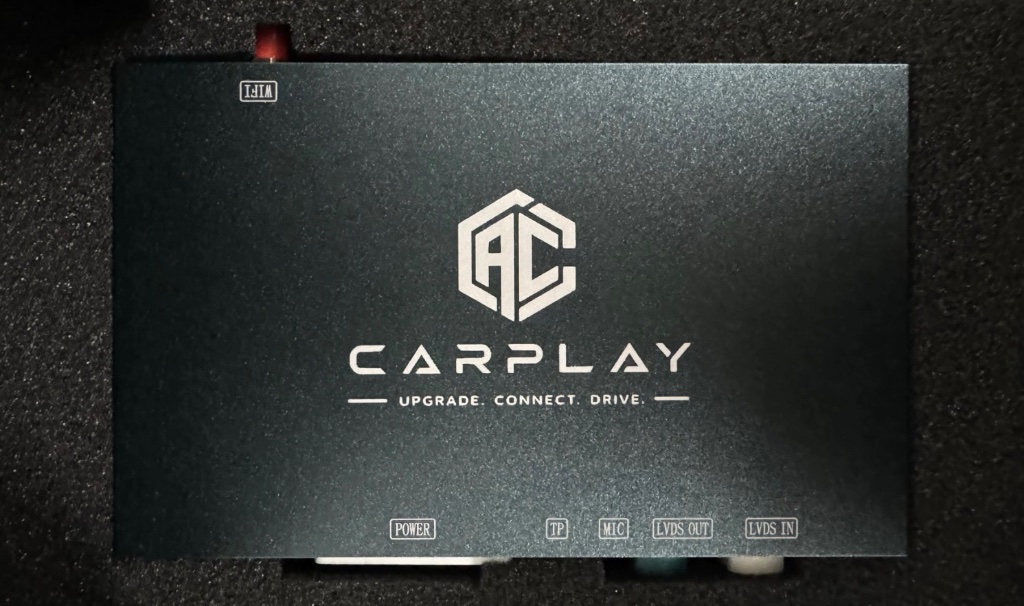
Connect the supplied Wi-Fi antenna to the CarPlay module. The antenna enables the wireless CarPlay and Android Auto connection. Then check the DIP switch configuration on the module. The correct switch settings depend on your Audi model, year and MMI system — refer to the configuration guide provided with your kit. Double-check every switch before proceeding.
Before reinstalling any trim or the MMI unit, turn on the ignition and test the system. Pair your phone over Bluetooth. Confirm that wireless CarPlay or Android Auto appears on the factory screen. Test steering wheel controls, audio output and the reverse camera. If CarPlay does not appear, the most common cause is an incorrect DIP switch setting or a loose harness connection — both are easy to fix while the unit is still accessible.
Once testing is successful, secure the CarPlay module neatly behind the dash in the glovebox area. Route all cables away from moving parts and heat sources. Reinstall the MMI unit by sliding it back into the dash and removing the radio removal keys. Reinstall the glovebox and any trim panels that were removed. Do a final test to confirm everything works after reassembly.
The exact connections, DIP switch settings and harness routing vary by Audi model, year and MMI system. The steps above describe the general installation process. If you are uncertain about any connection or configuration for your specific vehicle, contact Audi CarPlay AU with your model, year and a centre-console or MMI photo. We will confirm the correct configuration before you proceed — do not guess.
These are actual photos from customer installations showing CarPlay running on factory Audi MMI screens.
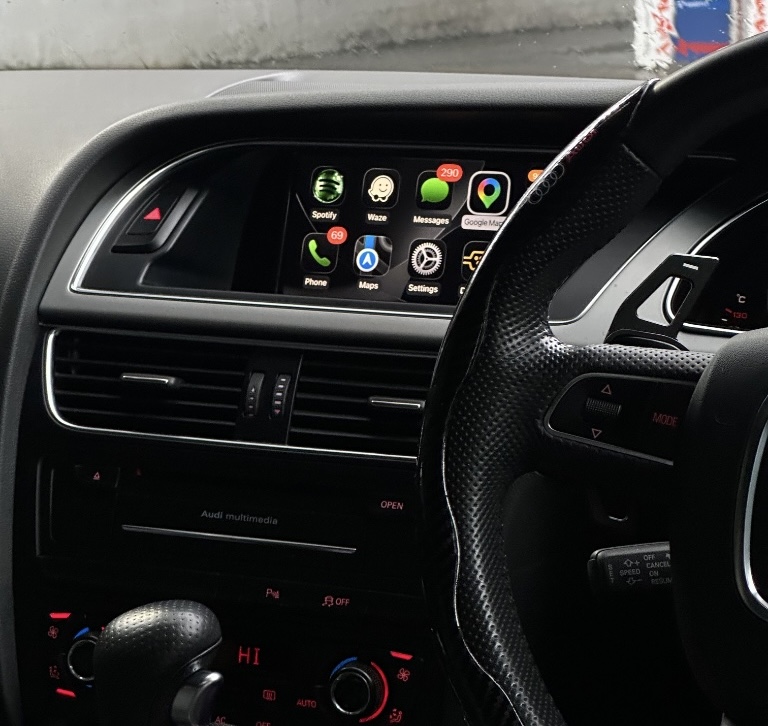

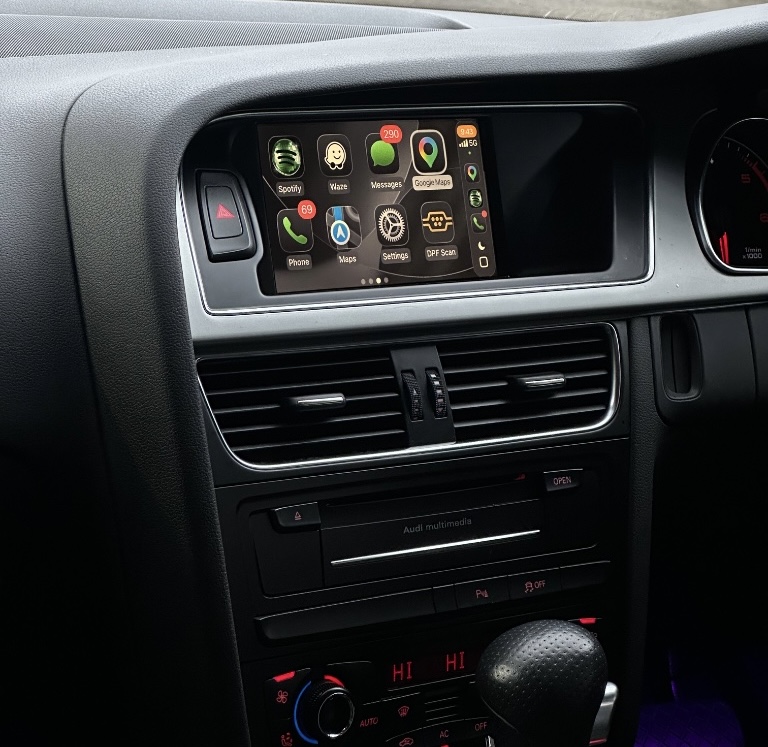
Actual customer installations — CarPlay running on factory Audi MMI screens.
Most installations take 60–90 minutes. MIB systems are typically faster at 45–60 minutes. Older MMI 2G systems can take up to 90 minutes due to tighter access behind the dash.
No. The kit is plug-and-play and connects inline with the factory MMI harness. The Quadlock T-harness sits between the factory connectors and the MMI unit. No wires are cut and the installation is fully reversible.
The supplied radio removal keys, plastic trim pry tools, a Torx screwdriver set (T20 is most common), and a small flathead screwdriver for clip release. A phone with CarPlay for testing after installation.
DIP switches are small configuration switches on the CarPlay module that set the communication protocol for your specific MMI system. The correct DIP switch setting depends on your Audi model, year and MMI system. Incorrect settings are the most common reason CarPlay does not appear after installation.
Configurations differ between MMI systems. If you are uncertain about any connection or DIP switch setting, contact Audi CarPlay AU with your model, year and a centre-console/MMI photo. We will confirm the correct configuration before you proceed.
Yes. Always test CarPlay and Android Auto before reinstalling the trim panels. If a connection is loose or a DIP switch is incorrect, it is much easier to fix while the MMI unit is still accessible.
Essential storage runs checkout and security. Optional analytics and advertising (Google, Meta) stay off until you choose. Change it anytime in the footer. Cookie policy