Spotify on Audi CarPlay - How It Works and What to Expect
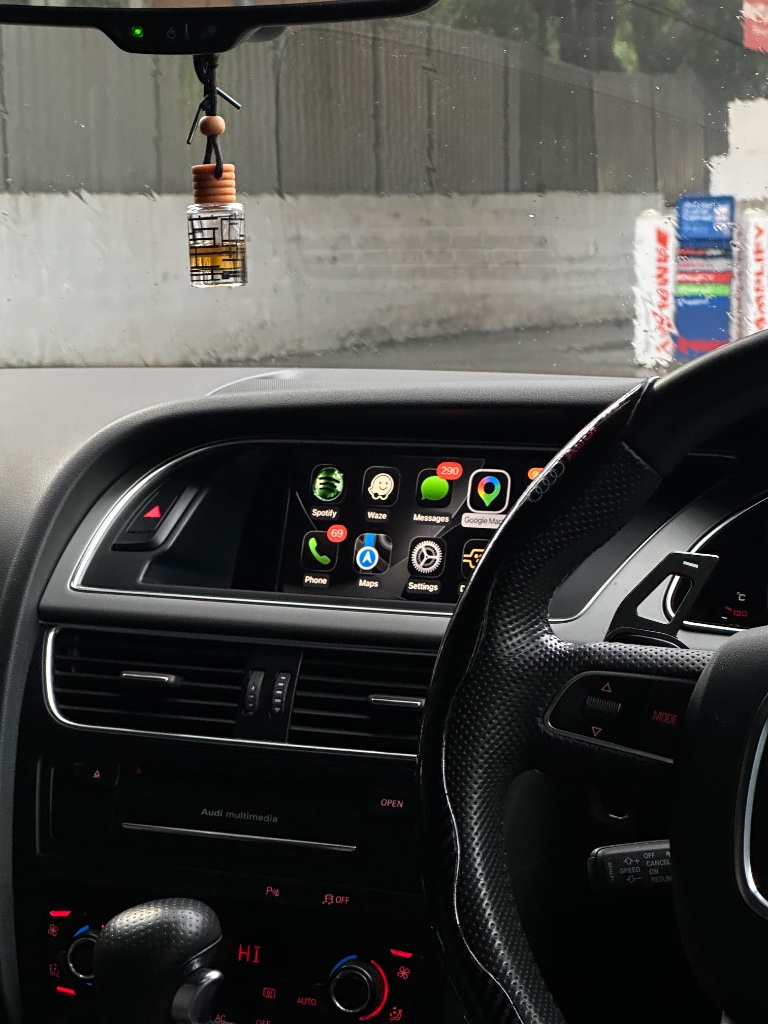
Spotify on Audi CarPlay is one of the biggest day-to-day benefits of the upgrade. Here's exactly what to expect.
What Spotify CarPlay looks like
Spotify displays a large, easy-to-read interface on your factory Audi MMI screen - album artwork, track name, artist, and playback controls. Browse playlists, search, and switch podcasts directly from the screen or via voice.
Audio quality - CarPlay vs Bluetooth
Bluetooth compresses audio. CarPlay uses Wi-Fi for audio data - significantly better quality, especially through BOSE or Bang & Olufsen systems. The difference is immediately noticeable on a good speaker system.
Hands-free control
"Hey Siri, play my Discover Weekly on Spotify" - or use the steering wheel voice button. Skip tracks and adjust volume with factory steering wheel controls. Complete hands-free control.
Ready to add CarPlay to your Audi?
We confirm your exact car before dispatch. If it isn’t compatible, you get a full refund.
See the Audi CarPlay kitRelated articles
Installation
Audi CarPlay Retrofit Installation: What to Expect (Step-by-Step)
Guide
Complete Audi Apple CarPlay Compatibility Guide (2008–2020)
Guide
Audi Q2 CarPlay Upgrade Guide (2018–2021): MIB Compatibility and Install
Guide
Audi A1 CarPlay Upgrade Guide (2012–2023): From RMC to MIB3
Guide
Audi Q4 CarPlay Upgrade Guide (2019–2023): MIB3 Compatibility
Guide
Audi CarPlay in an Australian Summer: Practical Tips for Hot-Weather Driving